
Apartment renders for presales: which rooms to show and how to furnish them
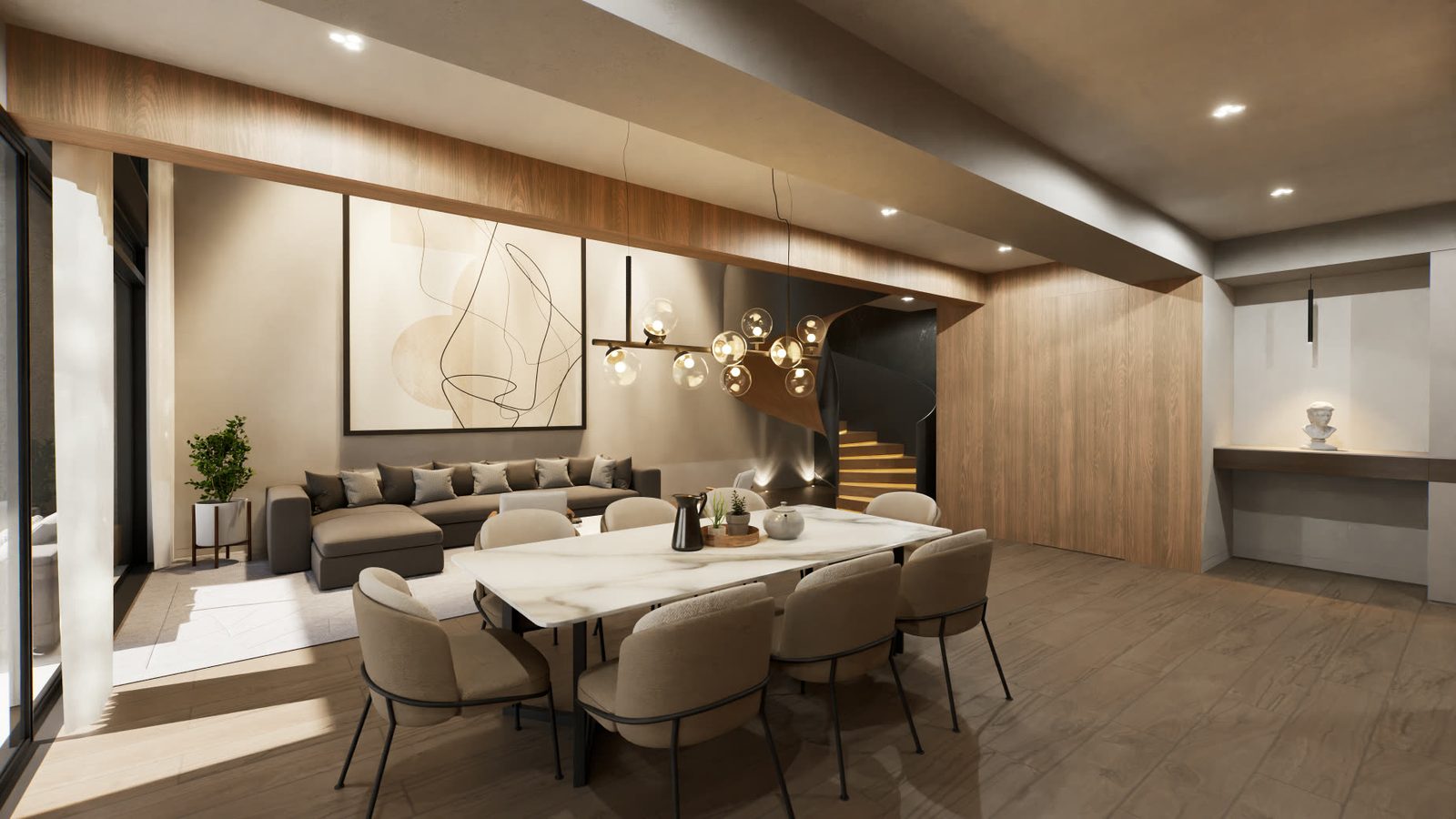
Apartment renders, called renders de departamentos in Peru, Mexico and Argentina, are images of the inside of a home that has not been built yet. In a presale they have one specific job: helping the buyer understand the size, the layout and the finishes of the apartment they are about to reserve. To do that you need a few well-chosen images, furnished to scale and faithful to what you will deliver.
Developers and brokers use these virtual property renders on the listing portal, in the brochure, in paid ads and in WhatsApp conversations. This guide covers which rooms to start with, how to decide on furnishing, what to make clear about what is delivered and which format to order for each channel. For the outside of the building, see the guide to facade renders.
Want to see this on your project? Book a free demo
Which rooms to start with
You do not need to render every room of every unit type. Start with the type that has the most units and with the rooms that decide the purchase, in this order:
- Living and dining area with the window or balcony. This is the main image. It shows the whole social area and how much light comes in.
- Kitchen. This is where finishes get the closest look: worktop, cabinets, splashback and included appliances.
- Main bedroom. With a real-size bed, the wardrobe and the access to the bathroom.
- Bathroom. One is enough if they all share tiles, taps and vanity.
- Second bedroom. Furnished as a study or a child's room, to show that the small room has a use.
- Balcony. With the view that floor and orientation will have.
For the other unit types, the living area and a furnished floor plan are usually enough. The image creates the emotion and the plan confirms the measurements, as we explain in 2D and 3D sales plans.
Furnishing and styling decisions
Furniture gives scale. A double bed or a six-seat dining table tells the buyer how much fits better than any number. That makes furnishing a sales decision, and it is worth taking it together with the sales team.
- Real-scale furniture. A smaller-than-normal sofa makes the room look bigger in the image and disappoints at handover.
- A style for your buyer. A young couple, a family with children and a short-let investor expect different interiors.
- Few objects. Decoration supports the image. If it covers the floor or the worktop, it hides what the client wants to assess.
- Camera at eye level. A very wide lens stretches the space and nobody recognises it later.
- Light according to orientation. If the apartment gets morning sun, the image should show that light.
For more on furniture, read how to furnish an apartment in 3D to sell it.
Honesty: what is delivered and what is decoration
A presale render gets saved. The buyer looks at it again on handover day and compares. These practices prevent the argument:
- Use the floors, tiles, worktops and taps in the specification. If there are several options, show them as options, as we describe in rendering finishes.
- Keep a version of the same shot without furniture, as delivered: shell, white-box or fully finished.
- State in the brochure and on the page what is not included: furniture, decorative lamps, curtains and appliances.
- Respect the clear height, the beams and the columns. They are part of the apartment.
- Put the view that belongs to that floor in the window, with no borrowed landscapes.
A reference-image disclaimer helps, but it does not replace a faithful image. In what a real-estate project brochure should include we explain why what you advertise commits you.
Formats for each channel
Each channel needs a different proportion and file size. Give the studio this list before work starts, so every image is framed from the model.
| Channel | Format | What to ask for |
|---|---|---|
| Listing portal | Landscape | The living area as the first photo, with no text or logos on top |
| Social media and ads | Portrait and square | A dedicated framing for each proportion |
| Lightweight file | A few images per unit type, sent with the floor plan | |
| Brochure and print | High resolution | The original uncompressed file |
| Sales room screen | High-resolution landscape | A sequence ordered by unit type |
For messaging, see how to sell apartments over WhatsApp.
What to ask the studio and which mistakes to avoid
- Images should come from a virtual model (also called a digital twin) built from the approved drawings, with real measurements.
- A change of finish should be possible without redoing the image from scratch.
- You should receive the original files and the versions for each channel.
- Avoid mixing suppliers: the kitchen in the render and the kitchen in the video must be the same.
- Avoid approving images before someone who knows the finishes specification has reviewed them.
At Inviewd we build the project once in Unreal Engine, and from that model come the interiors of each unit type, the kitchens, the bathrooms and the shared amenities, with the finishes you deliver. The video, the 360° tour and the virtual sales room can later come from the same model. See our architectural rendering service.
Frequently asked questions
How many apartment renders does a presale need?
For the main unit type, plan for the living and dining area, kitchen, main bedroom, bathroom and balcony. For the others, one image of the social area and a furnished floor plan are usually enough.
Should renders for real-estate agencies show the apartment furnished or empty?
Both versions are useful. The furnished one gives scale and emotion, and the unfurnished one shows what is delivered. Having both with the same framing avoids misunderstandings.
Do virtual property renders work for selling off-plan?
Yes. They are the way to show an apartment that does not exist yet, provided they come from a model with the measurements in the drawings and the specified finishes.
What format should a 3D render have for real-estate sales on social media and portals?
Landscape for portals and screens, portrait and square for social media and ads, and a lightweight version for WhatsApp. It is best to frame each proportion from the model.
Ready to accelerate the sale of your project?
We build your project once in Unreal Engine, and the renders, video, 360° tours and interactive sales room all come from it, ready for any phone.
Request a demo