
Real-time rendering vs. traditional rendering: what changes when the goal is to sell
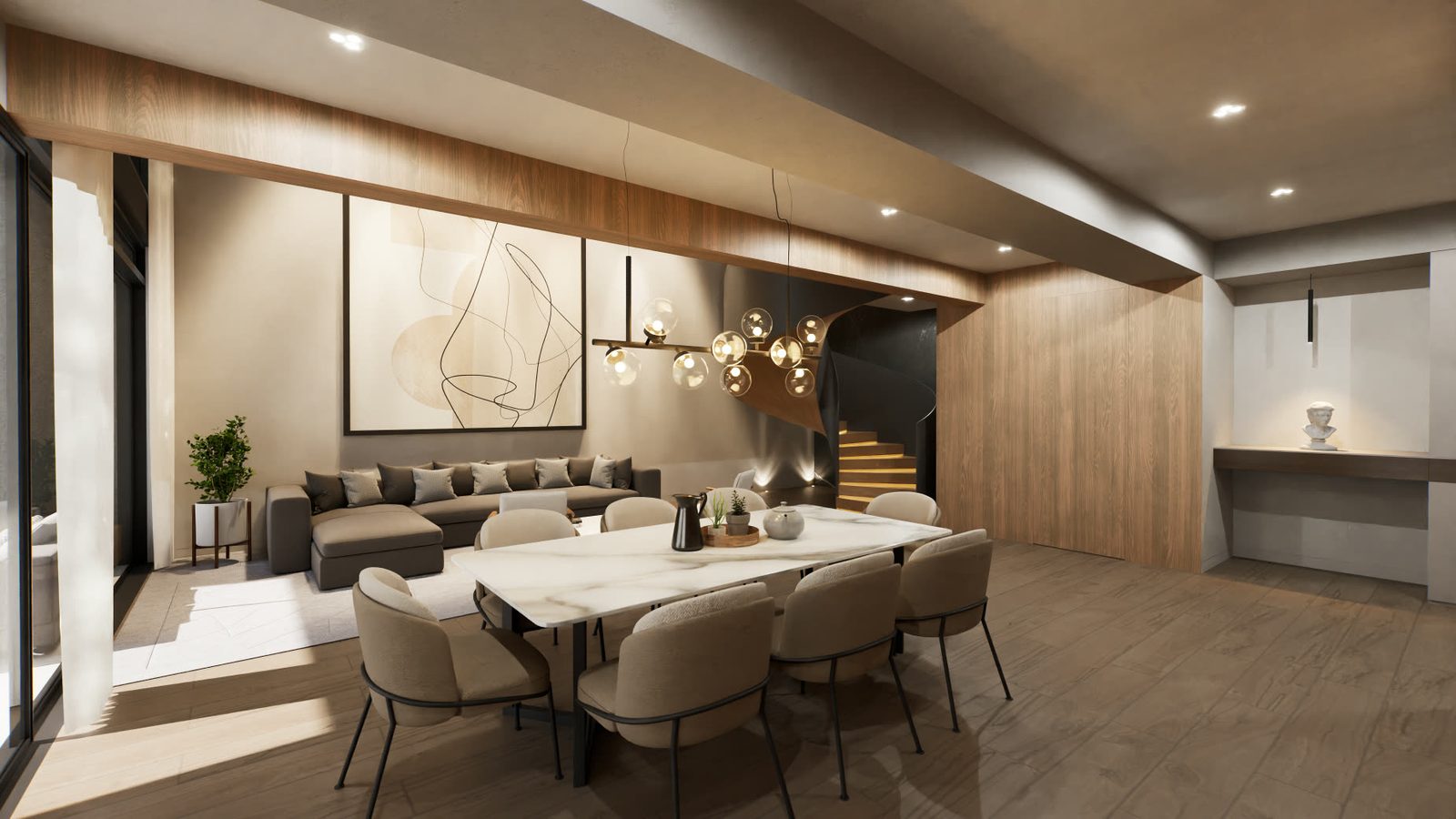
For years, real estate visualization worked the same way: the architect delivered the drawings, a studio modeled the project and produced a package of still images. Each image took hours to calculate and, if the client wanted another angle or a different tile, it meant starting over.
Real-time rendering changed that logic. But it did not replace it completely, and it is worth understanding where each one wins before deciding what to commission.
Want to see this on your project? Book a free demo
How each one works
Traditional rendering, also called offline rendering or pre-rendering, works like a photographer. Someone places the camera, sets the light, and the computer spends minutes or hours calculating how each ray of light bounces off each surface. The result is a very high-quality image, but a fixed one: whatever is outside the frame does not exist.
Real-time rendering works like a video game. A graphics engine like Unreal Engine calculates the image dozens of times per second, depending on where the camera moves. There is no fixed frame: the buyer decides where to stand. We explain the concept in what a real-time graphics engine is.
Real-time vs. offline rendering at a glance
| Traditional (offline) rendering | Real-time rendering | |
|---|---|---|
| How it's calculated | Ahead of time, image by image, with minutes or hours of computing | Instantly, dozens of times per second, based on where the user looks |
| What it delivers | Finished images and videos | A project you can walk through, plus images and videos |
| Changing a finish | Re-render every affected image | Change it in the model and see it on the spot |
| Where it can be viewed | On any screen or in print | On the machine running it or, with pixel streaming, in any browser |
| Common software | V-Ray, Corona, Arnold, Cycles | Unreal Engine, Unity, Twinmotion |
| Where it shines | Billboards, covers and large-format print | Visits, video calls, configurators and sales rooms |
Quality no longer separates them
A few years ago real time looked "like a video game" and pre-computed looked real. That gap has practically closed. Unreal Engine 5 introduced Lumen, a global illumination system that calculates how light bounces in real time, which is exactly what makes a space believable.
Add to that NVIDIA technology. Its RTX cards include DLSS, which uses artificial intelligence to reconstruct the image at a higher resolution and to generate intermediate frames. At Inviewd we use it in our interactive tours: the result is a sharper image and smoother motion, even on large screens. And we apply AI to improve the final quality of renders, videos and 360° images.
Terms you'll hear
- Offline rendering or pre-rendering: the image is computed before it's shown and can take anywhere from seconds to hours per frame.
- Path tracing: the technique that simulates many light paths for each pixel. It's the basis of classic photorealism and the most expensive to compute. Unreal Engine includes it too, so final-quality stills can come from the same model buyers walk through.
- Rasterization: the fast way real-time engines draw a scene. Today it's combined with ray tracing for shadows, lighting and reflections.
- Lumen: Unreal Engine 5's dynamic global illumination system, which calculates how light bounces in real time.
- Nanite: Unreal Engine 5's geometry system, which lets highly detailed models run without slowing the tour down.
- DLSS: NVIDIA's technology that uses AI to reconstruct the image at a higher resolution and generate in-between frames.
- Pixel streaming: the model runs on a GPU server and the buyer receives it as video in their browser, while their taps and clicks travel back to the server.
Where traditional rendering still wins
- Large-format pieces: an eight-meter billboard or a printed brochure cover, where every detail is checked by hand.
- Absolute control of the frame: when the image has a single job and a single perfect angle.
- Zero technical dependency on the buyer's side: an image looks the same anywhere.
Where real time wins
- Freedom: the buyer walks, stops where they are interested and goes back.
- Instant changes: another floor, another tile, another time of day, without producing anything again.
- Many assets from one model: renders, video, 360° tours and interactive applications come out of the same file.
- Low marginal cost: the fiftieth image costs almost the same as the tenth.
- Distance: with pixel streaming, the tour reaches the buyer's phone without them downloading anything.
When to use each one
The rule of thumb is simple. If the piece has to attract (the billboard, the portal listing, the cover) a perfect image does the job. If the piece has to help decide (the visit, the video call, the WhatsApp follow-up) the buyer needs to move, compare and try. That is where real time wins. We break it down by stage in renders, 360° or 3D video: which to use at each stage.
What to ask before you hire a studio
- Does the model work for everything? If the studio only delivers images, every new asset is a new production. Ask whether the renders, the video and the tour all come from the same model.
- What does a change cost? Finishes change during pre-sales. Find out whether a new tile is charged per image or updated once in the model.
- How will the buyer see it? A tour that requires downloading software or a powerful computer goes unused. Ask to see it on an ordinary phone.
- Who owns the model? Make it clear in the contract whether you can use it for other assets, at handover or in running the building.
- Are there published examples? Ask for a live tour, not just an edited video. What matters is how it feels to move through the project.
For reference prices, we collected them in how much 3D visualization of a project costs.
Best of all is not having to choose
When the project is built in a real-time engine, the still renders also come from there. There is no need to commission two productions: the same model the buyer walks through on their phone produces the billboard image and the portal image. That is how we work on our architectural renders, and why every finish change updates across all assets at once.
Frequently asked questions
What is real-time rendering?
It's the image a graphics engine such as Unreal Engine calculates instantly while the user moves through the model, dozens of times per second. It lets you walk through a project, change finishes and look from any point without waiting for a new image to be produced.
What is offline or pre-rendered rendering?
It's an image or video computed in advance, frame by frame, with software such as V-Ray or Corona. Each image can take minutes or hours, and the result is fixed: to see another angle, another image has to be produced.
Which one looks more realistic?
Today the difference is small. With Unreal Engine 5's Lumen lighting and NVIDIA's AI, real time reaches photorealism. Offline rendering is still useful for large-format print, where every detail is checked by hand.
Does the buyer need a powerful computer to view a real-time tour?
No. With pixel streaming the model runs on a server and the buyer walks through it from the browser on their phone or computer, without downloading anything.
Can you get still renders from a real-time model?
Yes. Renders, videos and 360° tours all come from the same model. Unreal Engine even has a path tracing mode for final-quality still images.
Sources
NVIDIA Developer — DLSS · Unreal Engine — How UE is transforming home building
Ready to accelerate the sale of your project?
We build your project once in Unreal Engine, and the renders, video, 360° tours and interactive sales room all come from it, ready for any phone.
Request a demo