
The sales room advisor: role, visit script and the tools they need
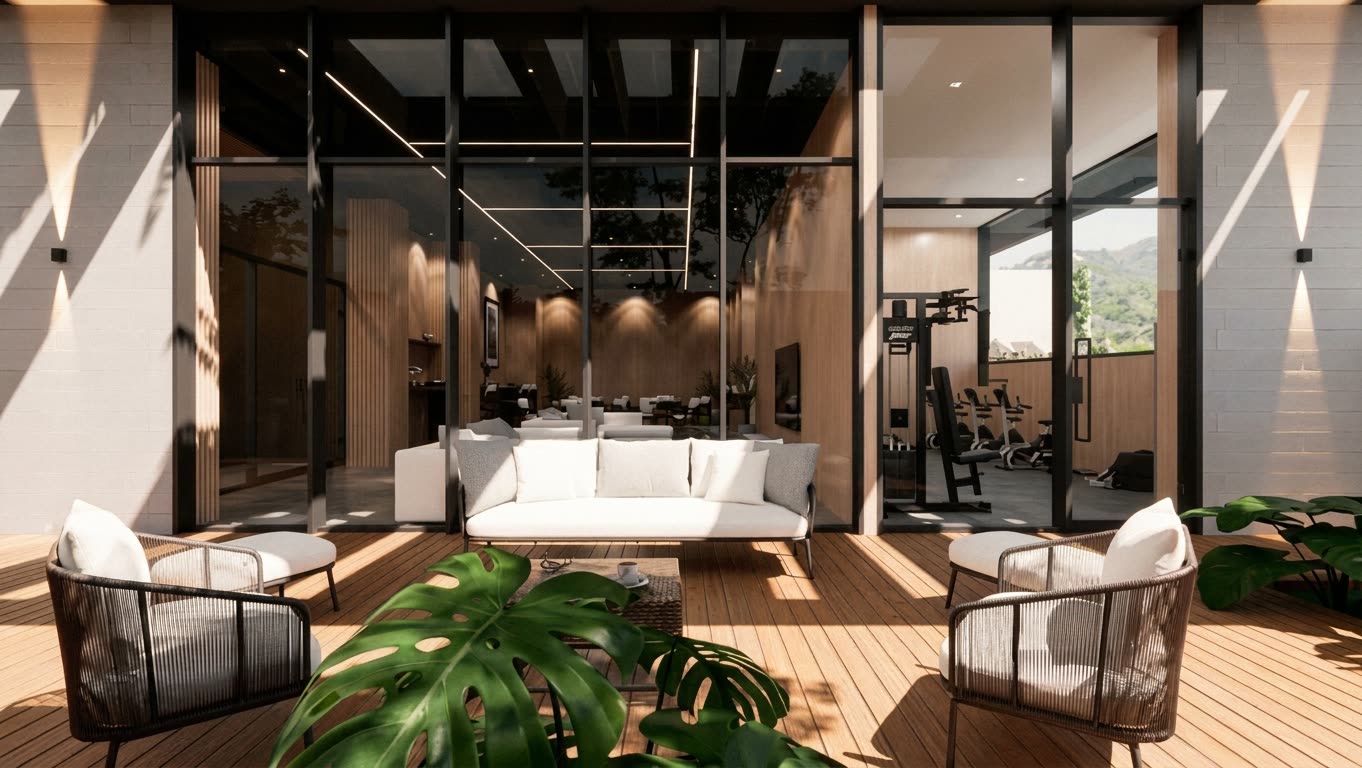
A developer's sales room is the place, physical or digital, where a buyer gets to know a new housing project and decides whether to reserve a unit. In Spanish it is the “sala de ventas”, and depending on the country you will also see it called a showroom, a sales office on site or, when there is a sample apartment, a show flat. The sales room advisor is the person who handles that visit from start to finish.
The job is to understand what each family is looking for, show them the unit that suits them, settle their doubts and leave a next step agreed. This guide covers the advisor's functions, a step-by-step visit script, the tools they need and the most common mistakes. If you first want to review the sales room formats, start with the guide to real-estate sales rooms.
Want to see this on your project? Book a free demo
Functions of the sales room advisor
- Welcome and profile. Find out in the first few minutes whether the person is buying to live in or to invest, who decides and on what timeline.
- Present the project. Location, shared amenities, phases and estimated delivery date, sticking to what has been approved.
- Show the unit. The unit type, floor and view that suit that family, instead of the whole catalogue.
- Give prices and availability. With an up-to-date sales board and the payment plan in writing.
- Handle objections. Size, view, finishes, trust in the delivery and price.
- Record every contact. Name, phone, unit of interest, the channel they came from and the next step.
- Follow up. Write again with something new to show and a specific proposal.
- Support the reservation. Documents, initial payments and handing the client over to the paperwork team.
- Report to management. Which questions keep coming up and which units nobody asks for. That information helps adjust prices, advertising and sales material.
A visit script, step by step
- Greeting and three questions. Who the home is for, how many people will live in it and when they plan to buy. That tells you what to show.
- The project in a few sentences. Where it is, what surrounds it and what amenities it offers, on the virtual model (also called a digital twin) or the physical scale model.
- The unit. Go into the right unit type and walk through it in the order people would live in it: entrance, living area, kitchen, bedrooms. Let the buyer drive the screen if they want to.
- View and light. Go up to the floor they are interested in and show what you see from the living room and the main bedroom.
- Finishes. Show the options on the screen and move on to the real samples so they can touch the material.
- The numbers, seated. Price, payment plan and terms in writing, at a private table. How to prepare that space is covered in the deal room.
- The next step. The reservation, a second appointment with whoever is missing, or a video call. Always with a date, and with the tour link sent to their phone before they walk out.
The order of the walkthrough inside the apartment is developed in how to show an apartment, and the answers to the most repeated doubts in home buyer objections.
The tools they need
- The virtual model on a large or touch screen, to show the building, go into each unit type and see the view from each floor. See the touch screen in the sales room.
- A tablet with the same model, for attending people standing up or when the main screen is busy.
- The tour as a link that opens on a phone, to send by WhatsApp during the visit.
- The sales board with the status of every unit. See how to keep a sales board.
- The price list and payment plan in a format that can be handed over.
- Material samples of the finishes on offer.
- A contact log, in a CRM or a tidy spreadsheet, filled in the same day.
Common advisor mistakes
- Reciting the whole project before asking what the person is looking for.
- Showing every unit type to every visitor.
- Driving the screen the whole time and never letting the buyer explore.
- Quoting prices from memory or from an outdated list.
- Promising dates, views or finishes that have not been approved.
- Leaving the record for the end of the day, when the details are already gone.
- Sending the visitor off with a brochure and no date to talk again.
How to train and measure the team
The script is learned by practising. Ask each advisor to run the full visit in front of a colleague, with the screen, and correct the order before the wording.
To measure, look per advisor at how many visits they attend, how many end in an appointment or a reservation, and how long the first follow-up takes. The full dashboard is in sales room indicators. And if part of the visits happen by video call, the same script applies with a shared screen, as explained in presenting a project by video call.
At Inviewd we build the project once in Unreal Engine, and from that model come the renders, the 3D video, the 360° tours and an interactive sales room the advisor uses on the screen, on a tablet or from a phone to sell off-plan. Take a look at the virtual sales room.
Frequently asked questions
What is a developer's sales room?
It is the place, physical or digital, where a developer presents a new housing project and attends interested buyers up to the reservation of a unit. In Spanish it is called a sala de ventas.
What are the functions of a sales room advisor?
Welcoming and profiling visitors, presenting the project, showing the right unit, giving prices and availability, handling objections, recording every contact, following up and supporting the reservation.
What tools does an advisor need in the sales room?
A screen or tablet with the project's virtual model, a tour link to send to the buyer's phone, an up-to-date sales board, prices in writing, material samples and a contact log.
What should a sales room visit script look like?
It starts with questions to understand what the family wants, moves on to the project, the unit, the view and the finishes, covers the numbers at a private table and ends with a dated next step.
Ready to accelerate the sale of your project?
We build your project once in Unreal Engine, and the renders, video, 360° tours and interactive sales room all come from it, ready for any phone.
Request a demo